One of the pains of living “in the province of the empire,” that is to live outside the United States of America, is that access to many online services is precluded on the basis of geographical restrictions.
Hulu, Pandora, Netflix, just to name a few, will simply refuse to work for you — no matter how much you’re willing to pay. In fact, it is extremely frustrating to know that such companies are forced by copyright vultures to refuse access to international customers, and ultimately lose income. It’s a matter of origin: these services see what country your IP address belongs to, and decide whether to let you in or not.
If you can appear to be online from the US, they will often happily accept international credit cards: after all, if it were for them, there would be no silly geographical restriction in the first place. How do you pretend you’re coming from the US? You use a VPN.
IPV 468×60 (set 3)
Virtual Private Networks
A VPN, short for Virtual Private Network, is exactly what the name implies: it’s a system that allows an external user to access an internal network. In many cases, VPN are used by (big) companies to allow their employees to log into the corporate network from outside the office. From the point of view of the network itself, the user appears to be locally connected. It’s an entirely transparent process.
What does this have to do with accessing restricted content? Well, one of the pleasant side effects of connecting to a VPN means that the external user will access the outside network from within the VPN itself. Remember, it’s as if you were actually inside that network. Therefore, if the VPN’s outside IP address is in the US, you will be appearing to come from the US.
Let me provide a handy, high-resolution graphic representation of this concept, in order to clarify the matter. Let’s assume you are in Italy. Normally, this is what would happen:
YOU (foreign IP) ↔ Hulu/Netflix/Pandora (not happy)
YOU (foreign IP) ↔ VPN server (US IP) ↔ Hulu/Netflix/Pandora (alright!)
As you can see, the service’s servers see that the connection comes from the US, and all’s right.
Neat! How do I get one? How much is it?
There are several commercial VPN providers out there. Let me focus on one that I’m particularly fond of, both for its ease of use and its capabilities. It’s called IPVanish (ain’t that cute?) and it currently sports over 2500 IP addresses from 38 different locations in 15 countries, with more being added all the time. One of the greatest things about IPVanish is that you are not forced, unlike some of its competitors, to choose a server upon registration and stick with it. When you create an account, you are granted access to its whole network, and changing the output endpoint is as simple as disconnecting from the VPN, changing a setting, and reconnecting. It’s that simple. Also, again unlike many competitors, there is absolutely no limit on bandwidth and traffic. No limit whatsoever, really. It almost sounds too good to be true, but IPVanish is clearly targeted at circumventing stupid regional restrictions, and if you had a traffic limit you wouldn’t be able to use it to access traffic intensive services such as Hulu or Netflix.
The price for an IPVanish account is a flat $10 per month, with a 7-day money back guarantee. At that price, it’s a steal.
I’m in the US, why would I need a VPN?
VPNs, by definition, are encrypted. Even if you are located in the United States and do not strictly need a VPN to access said services, you may still want to attain higher privacy. By tunneling your internet traffic through a VPN, you effectively hide your original location by acting like you’re online from the Netherlands, or from the UK, or from Japan. Once connected to a VPN, all your traffic passes through it; in a way, it’s like wearing a mask or teleporting.
While this may sound like an extra risk (what if they give you away? that’s a reasonable question), IPVanish does not log any of your traffic. The only thing they know is if you’re using the VPN or not, which is really inevitable since they’re offering the service. In other words, it’s like your power company: it doesn’t know if you’re using a washing machine or a vacuum cleaner, it only knows that you are using some power.
Also, by going through a VPN, you might be able to circumvent some firewall restriction in the workplace. (I’m not liable if you attempt it, it works, and you’re subsequently caught and fired. Don’t be stupid.)
Many servers? Why would I need that?
Being able to choose which server to use is more important than it may seem. If you are stuck with one server, and that server is overloaded, your performance will be greatly affected. By being able to choose the endpoint upon each and every connection, you have the possibility of always finding the least clogged of them and enjoy the service the way it should be.
IPVanish actually shows a list of servers and their current, up-to-date capacity usage. During my tests, only one of them had a peak of 3% usage, with the others being at either 0% or 1%. That basically means full speed.
Speaking of speed, does this make my connection slower?
One thing is very important to remember here: you are tunneling all your traffic through a place that may be geographically very distant from you. If you are in Germany and use a VPN endpoint in Japan to connect to a host in South Africa, it will inevitably take somewhat longer not only to send your requests to the host, but also to get its replies back.
How much will the latency be affected? It depends. Let’s say that playing real time games is not something you will want to do.
With video streaming, however, speed is more important than latency (that’s what buffering is for!) and in my tests I was able to stream through full length movies on Hulu with no hiccups whatsoever. Remember, this something that without a VPN with a US endpoint I would not be able to do at all, since I’m in Italy.
Ok, but how do I use it?
This varies depending on your operating system. On Windows, you can download a stand-alone program that handles it for you, similar to the NewsHosting Usenet client. On Linux, you can download configuration files for OpenVPN (a standard, open source software for accessing VPNs).
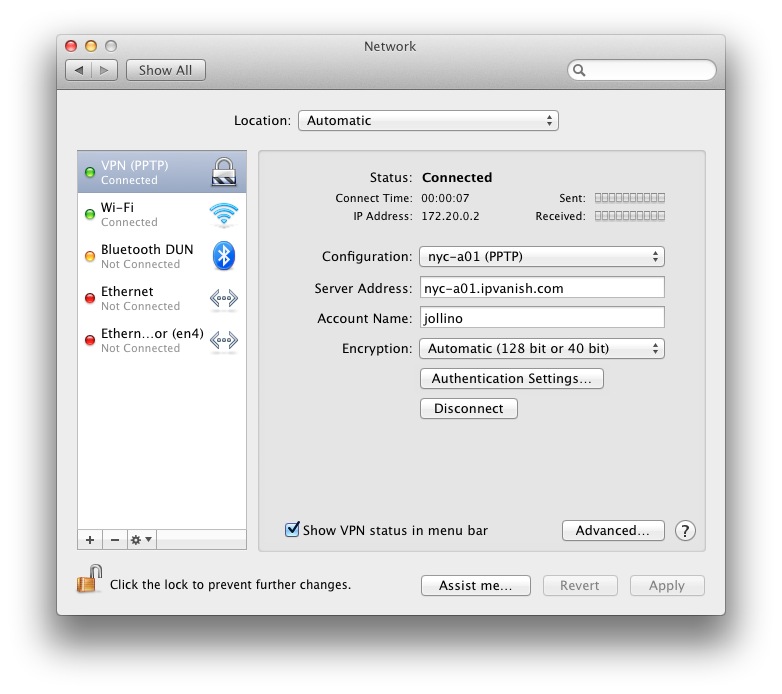
On Mac, which is what I use, you have many different choices: you can download the same configuration files for OpenVPN, or you can download network connection profiles that will create a new network interface in System Preferences, and all you have to do is choose the server you want to use from the drop-down menu and type in your password. That’s it. The choice between L2TP and PPTP is pretty much irrelevant, though you may want to go with PPTP because it’s slightly simpler (there is no “challenge key” to type in.)
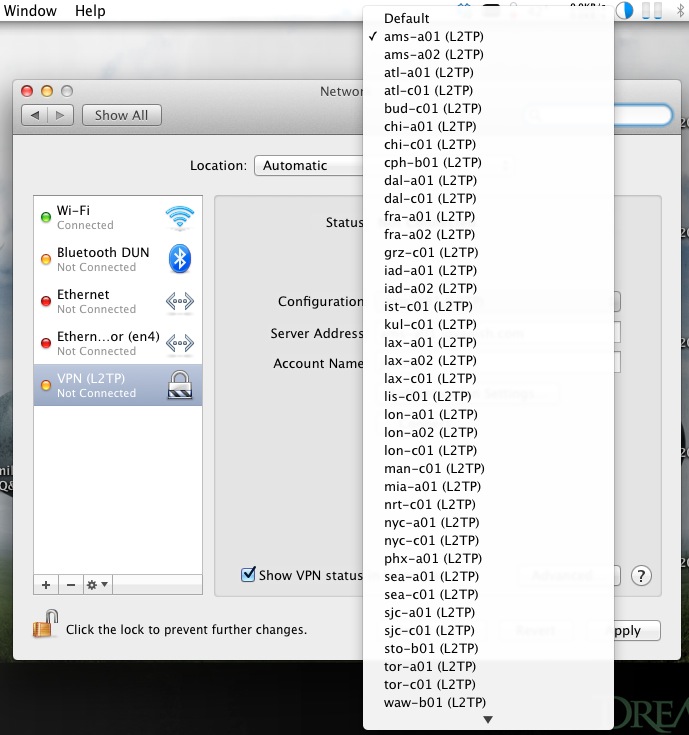
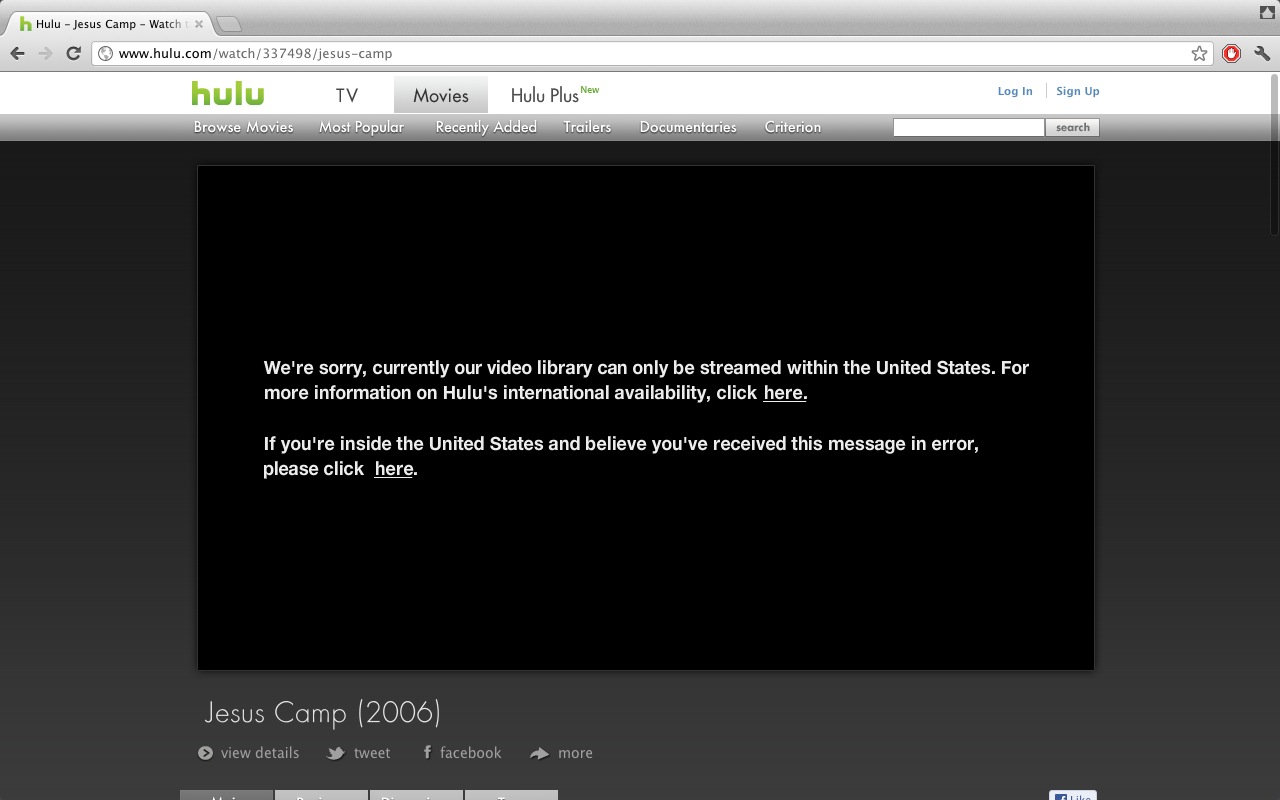
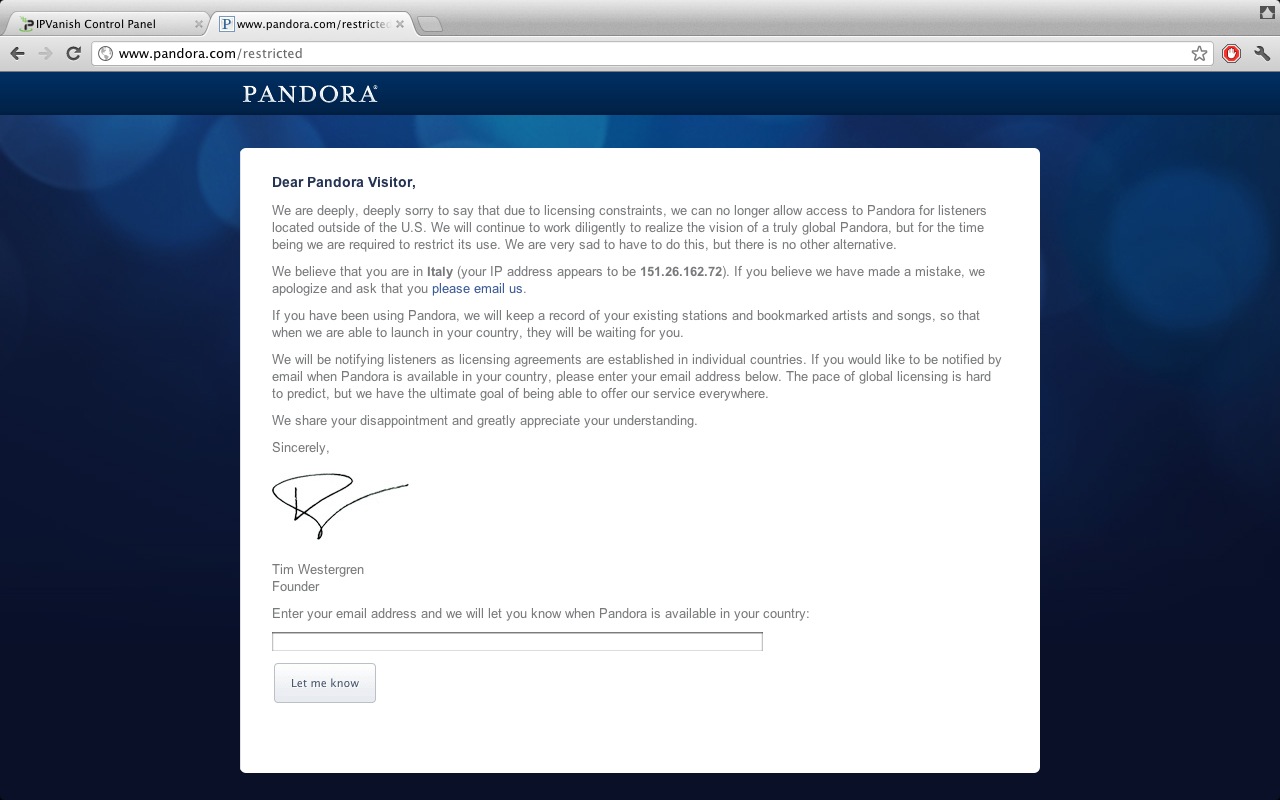
Once done, whereas before you used to see things like these…
…you will now see things like these:


What if I have more than one computer or device?
You can use IPVanish with as many devices as you want, though only one of them can be connected at any time. Of course, if you are savvy enough, you could set up a machine as a gateway and will route all the internal traffic through IPVanish, but that’s beyond the scope of this article.)
And if you are wondering, it’s a breeze to set your iPhone or iPad to use IPVanish. Just go to Settings, General, Network, VPN and set up a PPTP connection typing in your username, your password and the server of your choice. It’s that simple.
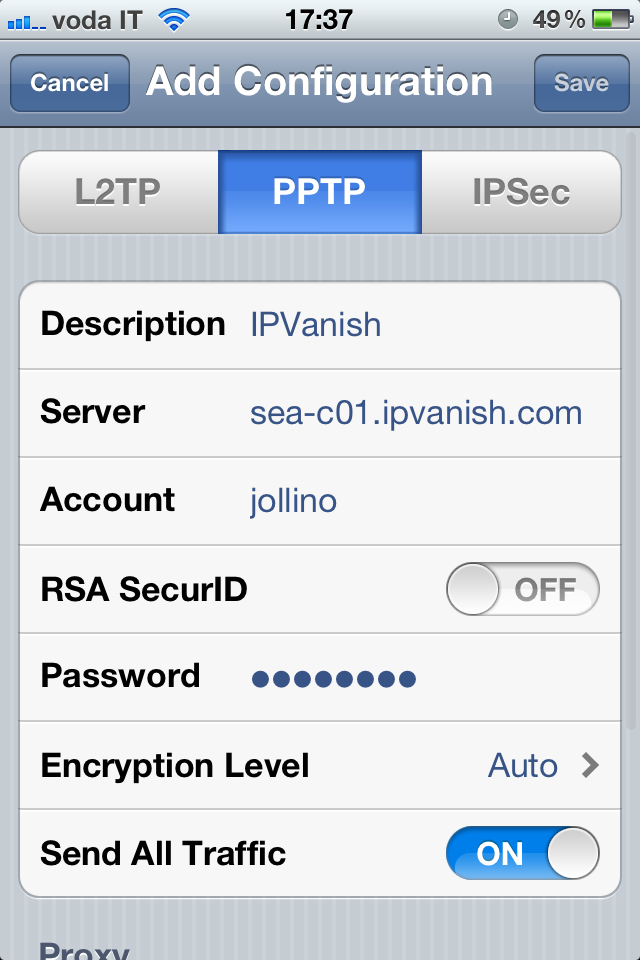
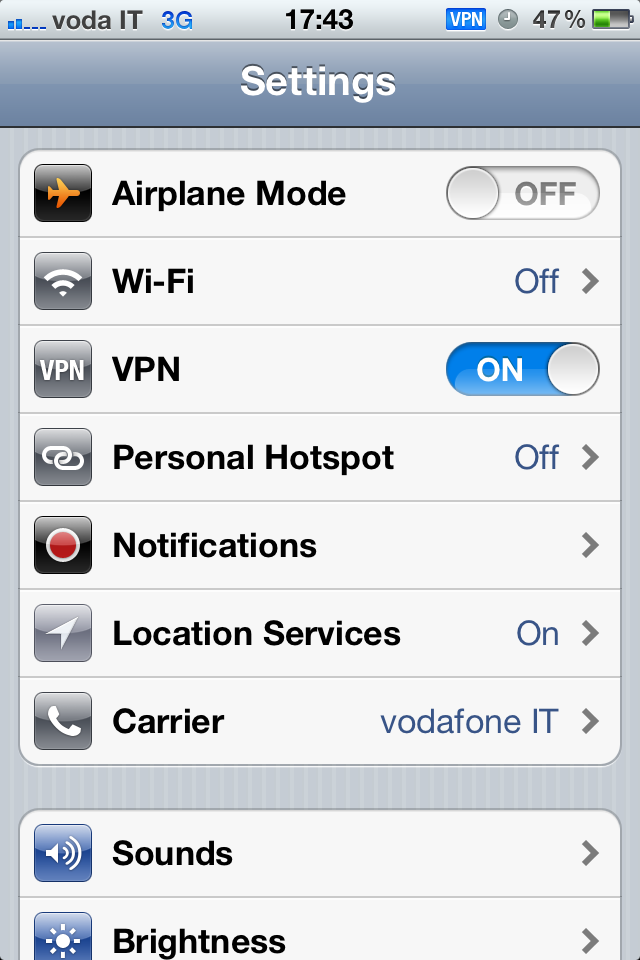
After that, you will find a handy VPN switch in the very first view of Settings, so you don’t ever have to dig that deep again. And yes, it works over 3G too.
In conclusion…
I have used VPN providers in the past, and I even set up my own VPN endpoint on a VPS (Virtual Private Server) using PPTP. With no restrictions on usage and traffic, an incredible amount of endpoints to choose from and with an incredible ease of use, I can say that no other service comes close to IPVanish. I encourage you to give it a try, whether you’re outside the US and want to enjoy US-only services, or in the US but frequently travel abroad or just want some extra privacy. It’s a service well worth it.
IPV 468×60 (set 5)
(Are you looking for Usenet access to download binaries? Check out my review of NewsHosting!)
I’ve actually been using IPVanish for a few months now as I do a lot of traveling. Went to France a few weeks ago and it was seamless for accessing hulu, which is normally blocked there locally. Also using it to secure my machine whenever I’m on wireless. Highly recommended