I recently had the chance to try Newshosting‘s Usenet service, and I was very favorably impressed. For those who don’t know, Usenet is one of the oldest communication systems on the Internet, dating back to 1979. It was born as a bulletin-like system, and is very similar in usage to e-mail. Unlike e-mail, however, it’s greatly decentralyzed and news servers, as they are called, synchronize with one another. Each server carries several groups (also called newsgroups; normally they’re counted in the thousands), and each one of them is dedicated to a specific topic.
While Usenet usage is unfortunately declining for text, heavily supplanted by web-based forums and, in more recent times, social networks, it’s being more and more used to carry binary contents. There are many groups (whose name normally include “binary” or “binaries”) dedicated to the exchange of video files, audio files and, essentially, all sorts of material. In this arena, since very few ISPs still run a newsserver at all, and those few that do will just not carry binary groups, several commercial Usenet providers fill the gap. I am currently a customer of UsenetServer, but I may just switch to NewsHosting.
I want to make it clear that it is not my intention to advocate or promote piracy in any way. This post is solely dedicated to highlighting the differences between Usenet binaries and the more widely known BitTorrent system, and showing how NewsHosting got it just perfectly right. Let’s start from the beginning, but if you want, you can jump to the review by clicking here.
NH 468×60 B
Usenet vs. BitTorrent
Unlike BitTorrent, which essentially works as an independent peer-to-peer network (the “swarm”) for each torrent, Usenet is a well define client-server architecture. The client connects to the server and uploads or downloads data. It is the server’s business to make sure that all data is synchronized with its fellow server peers. Neither system is necessarily better than the other. While it is true that BitTorrent allows for transfers even in complex situations, whereas a Usenet servers provide a single point of failure, it is also true that the download speed within a swarm depends on the upload speed of the peers themselves. Given that most binary Usenet servers are commercial, however, bandwidth is never an issue and downloading from them is always a very fast business. Indeed, I saturate my downstream bandwidth every single time: I literally download as fast as my DSL allows.
Moreover, many BitTorrent’s trackers have strict ratio enforcement requirements, which can make downloading almost impossible if a user’s line is highly unbalanced. For instance: my effective connection speed is 1.3 MB/s, but I can only upload as fast as around 60 KB/s. This means that if I download a 650 MB file (a typical CD ISO image), it will take me little over 8 minutes. To reach a round 1.0 ratio, ie. to upload as much as I have downloaded, it will take me 3 hours. In the long run, it becomes unsustainable. Usenet servers pose no such problem: users download the contents they want, and only upload (new) contents if they want to. No requirements, and oftentimes no limits whatsoever.
But how does it compare, in practice?
Let’s assume I wanted to download a Linux distribution. I would have to head to a tracker’s site (or anywhere else to get hold of a small .torrent file), feed it to my BitTorrent client, and have it download and upload back, possibly tweaking the settings so that everything is efficient: uploading at the maximum speed possible will make the download slower because there is not enough room to push the ACK packets over the line.
With Usenet, I would head to a Usenet search engine (there are several) and download a small .nzb file, feed it to my Usenet newsreader, provided it handles binary files, and download it. The support for binary files is important: given that Usenet is still essentially a decentralized text-only gigantic bullettin board system, several techniques were devised to allow it to carry binary content. Files are usually split into smaller part using RAR or another compression software, and each part is usually further split into smaller chunks, each of which is uploaded as a single post or article. In addition, parity files are added so that it is possible, within certain limits, to recover any chunk that may be missing due to the decentralized structure of the network itself. Sounds complex? In practice, it’s not. There are specialized Usenet binary downloader programs that are solely dedicated to that; in fact, some of them don’t even handle text groups at all. It’s still a bit of a burden for the uninitiated, and that’s where NewsHosting comes into the picture.
The easy way: NewsHosting‘s client
This is a (currently beta) news reader that incorporates a very nice search system to find contents directly. No more browsing Usenet search engines, comparing dates, looking for retention promises. The database is built by NewsHosting itself, so if it shows, it can be downloaded. It is also possible to use external search engines, but in my tests I found no reason to. The client is also extraordinarily simple to use, and this what really sets it apart. Let’s have a look.
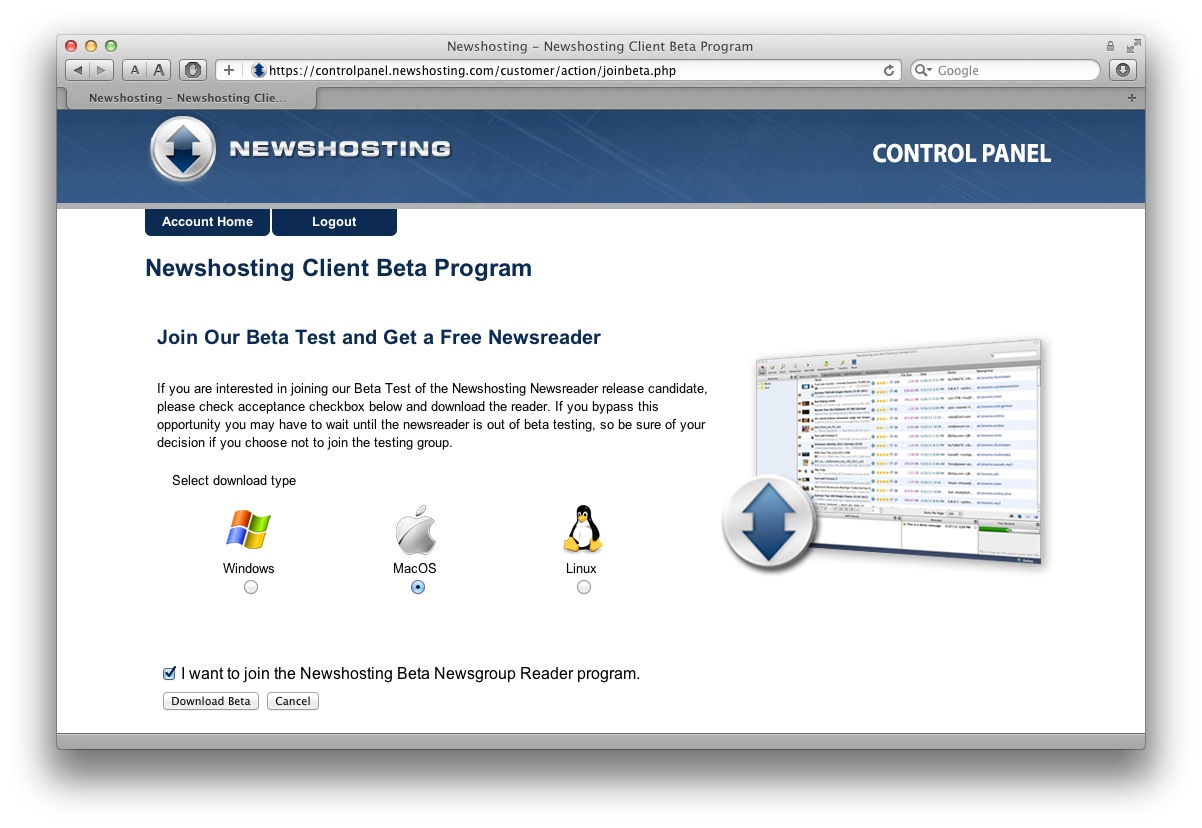
Downloading the application is very easy: after logging in to NewsHosting, a link will led to this page, where it is possible to choose the appropriate operating system. I used the Mac version, but I’m sure that the experience is the same on Windows and Linux too.
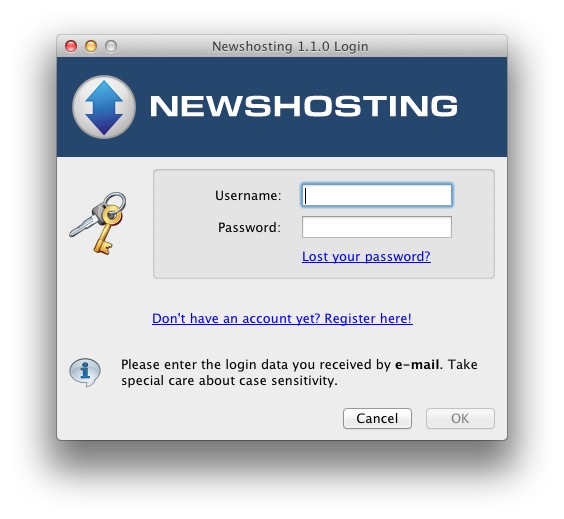
Upon launching the app, the only thing that’s needed is typing in one’s username and password. Nothing else. There is no configuration to go through, though of course there are many settings that one may want to tweak: download folder location, connection speed, number of concurrent downloads and more. It is all completely optional, and this is what makes this application really great.
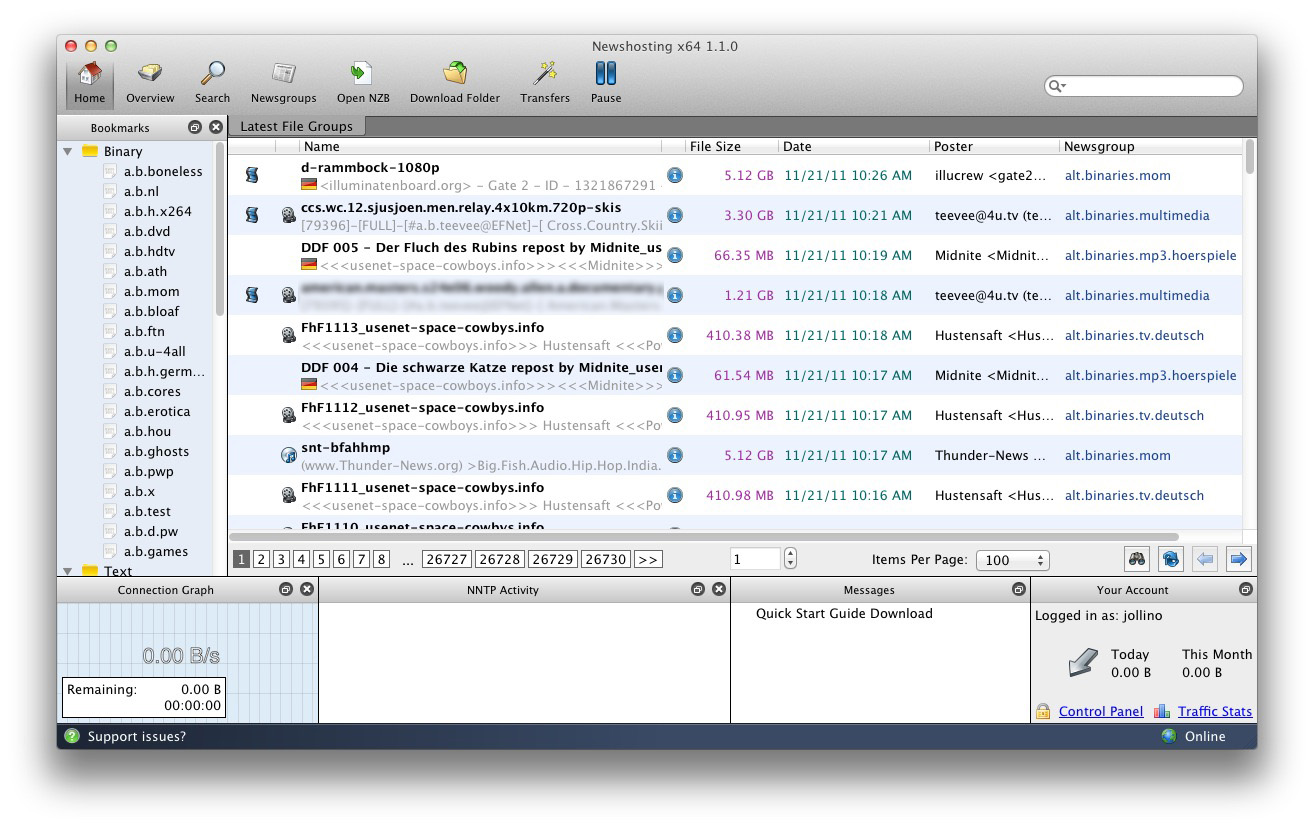
 After logging in, the user is presented with what I assume is a collection of the latest posts from the default group bookmarks, seen on the left pane. The application takes care of collecting the chunks and the parts (see above) and condensing them into individual files. Note in the screenshot that there are 26,730 pages to scroll through.
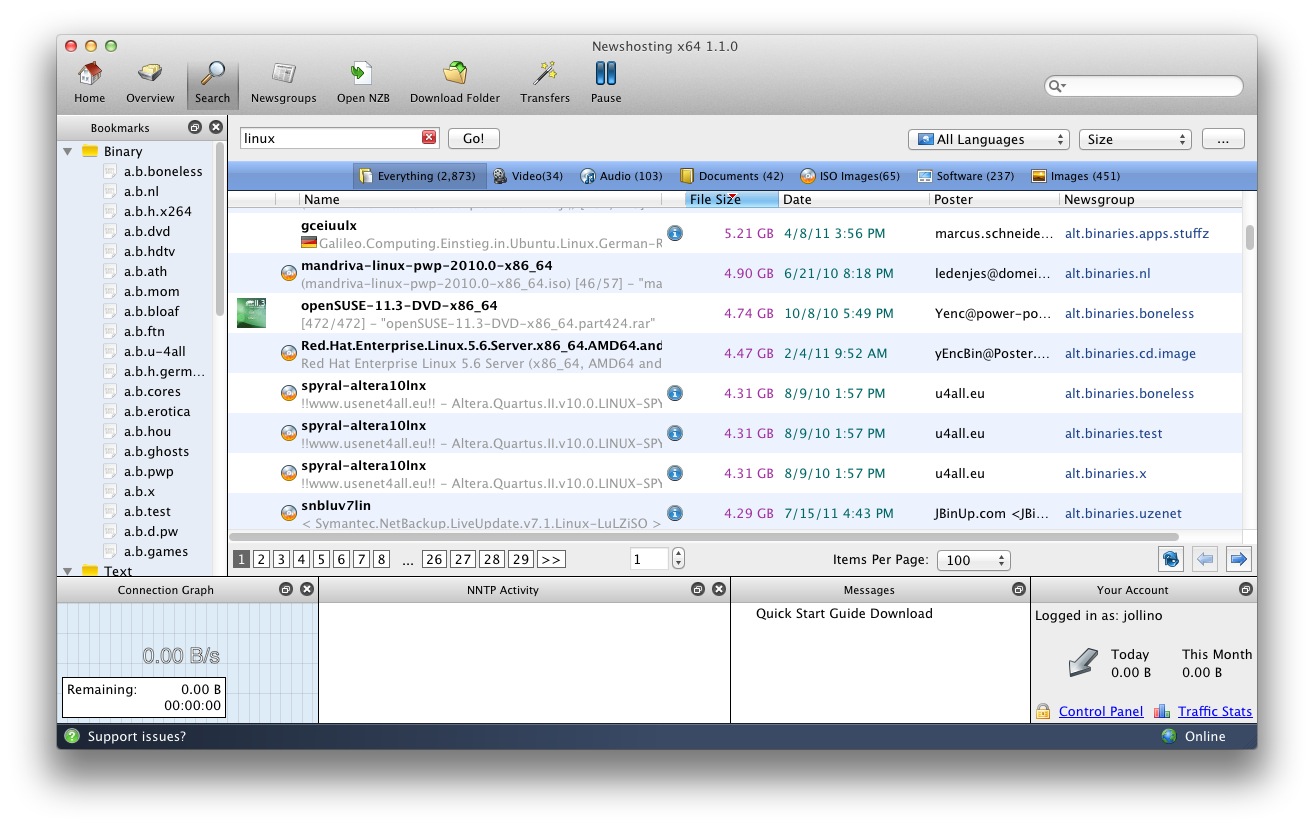
Searching is built-in. Aside from the quick search field in the top right corner, there is a dedicated search pane that allows to set up additional clauses, such as the content language, the file size and more. The application is smart enough to pull up an image for the file in question, whether it’s a cover, a screenshot or a logo.
Before downloading, it is possible to obtain detailed information about the selected file. If an NFO file is present, it is shown directly. In the case of video files, a very interesting feature is the ability to watch a short preview. This is something I haven’t found in any other Usenet downloader I have used, and it’s very interesting. I have no proof of this and I haven’t looked into it in detail, but I suppose that it achieves this by downloading the first part of the set, forcing its extraction without the rest, and then relying on VLC being able to play an incomplete file. For this reason, it may not work in case the video format needs an initial complete seek, but it’s a very handy function nevertheless.
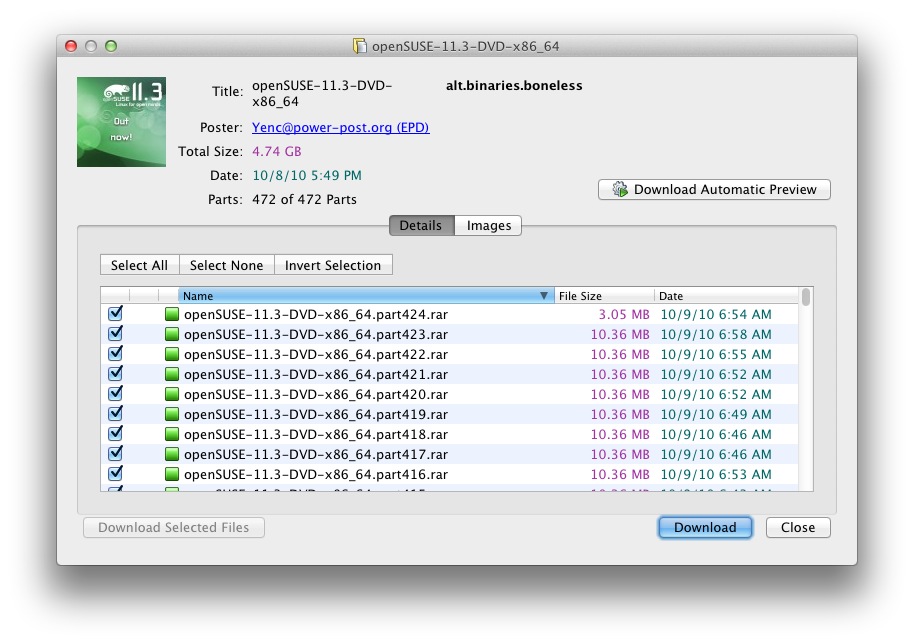
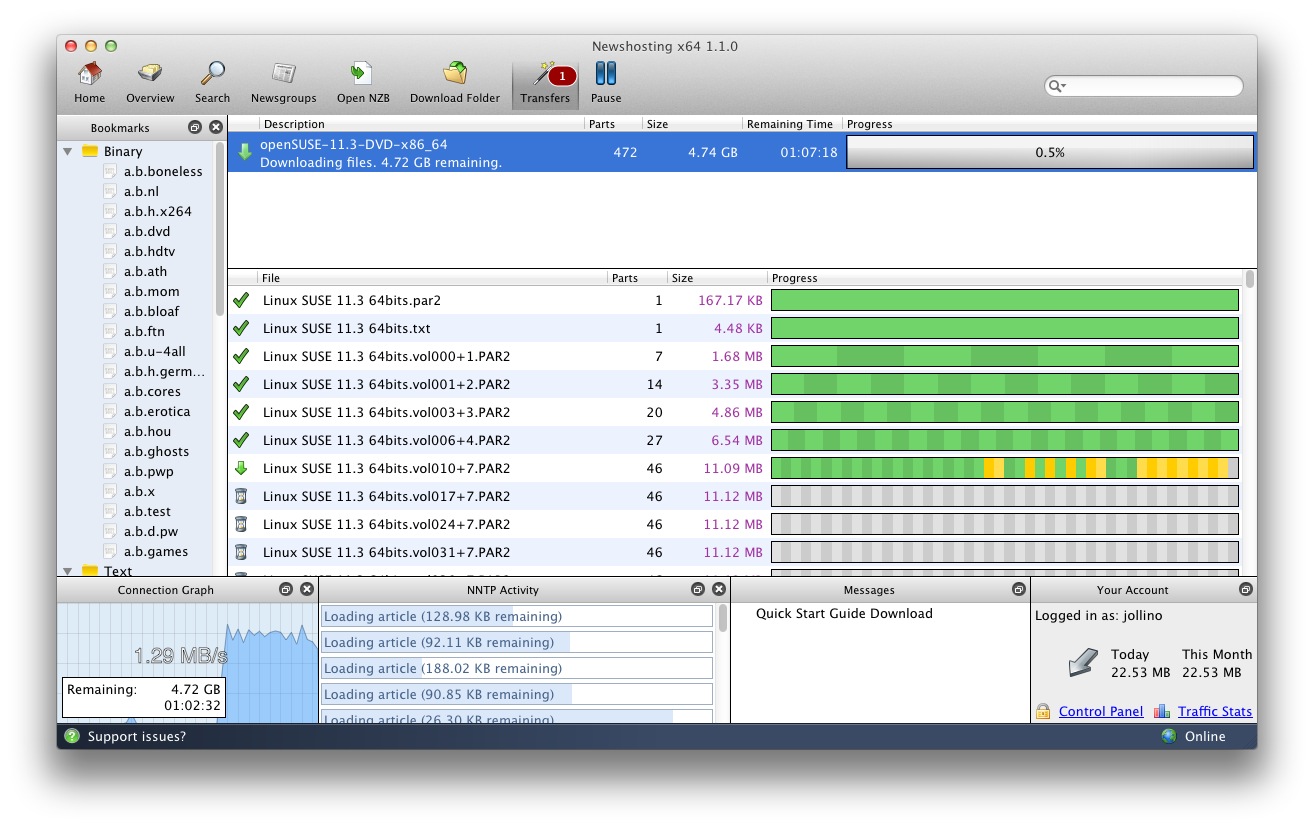
Downloads are just a click away. Once the transfer is started, it is possible to keep browsing around (whether via the search or directly in a newsgroup), or switch to the Transfers pane which shows detailed information about the transfers, down to the part and chunk level.
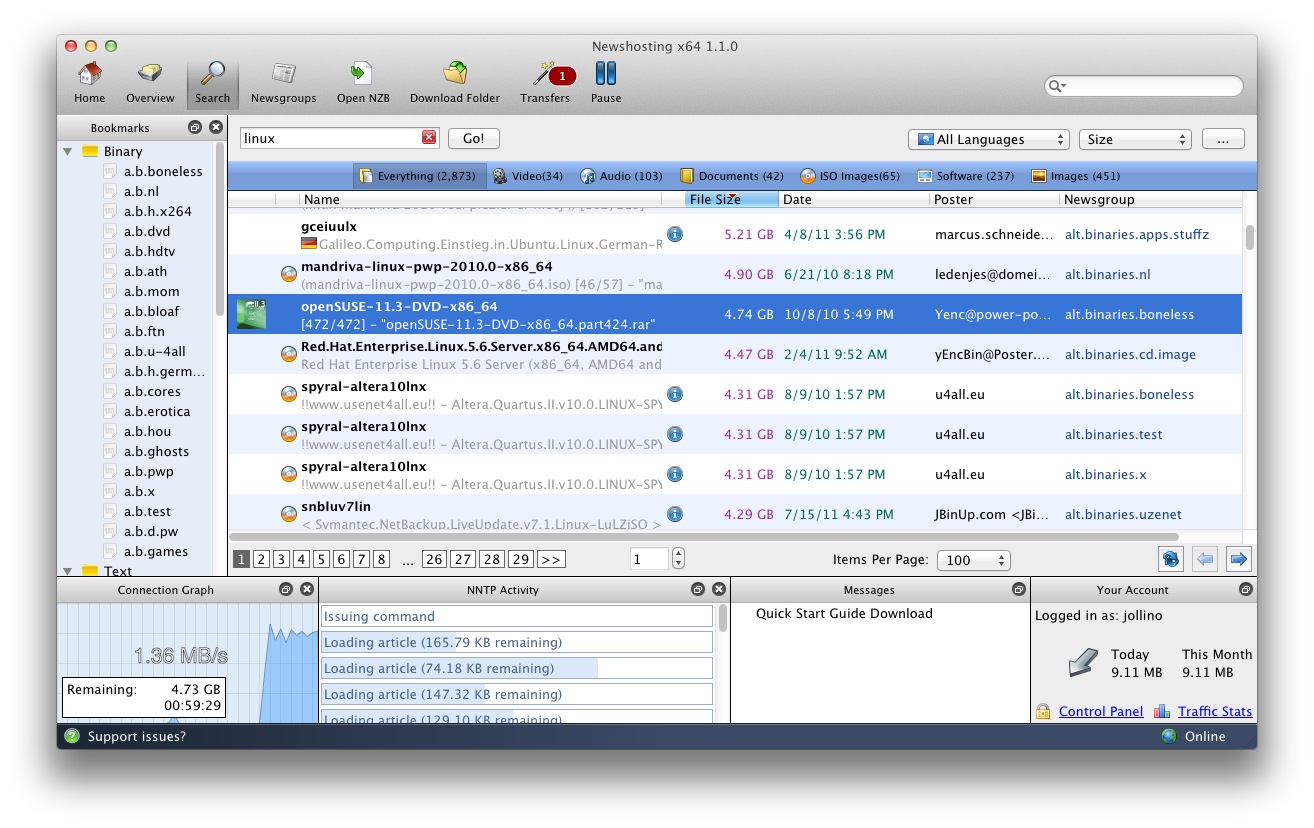
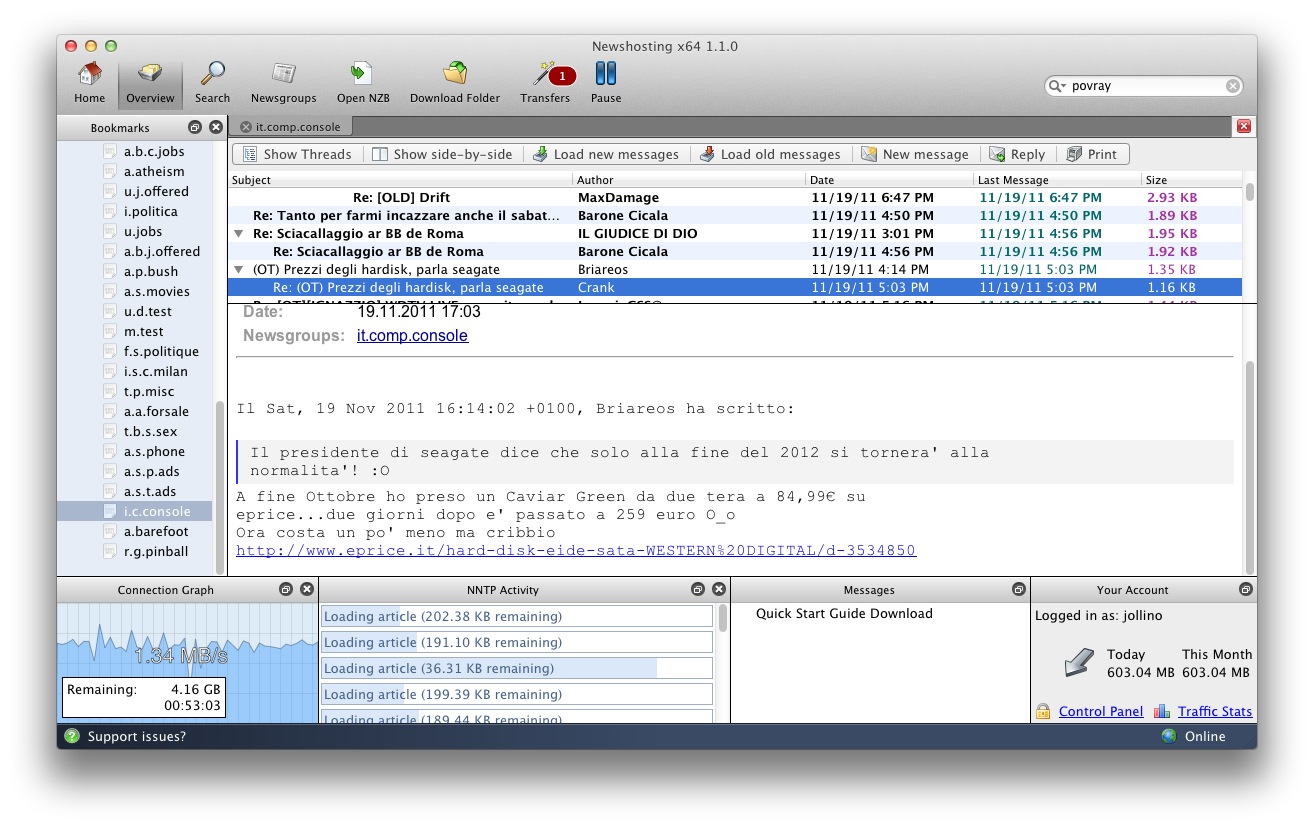
NewsHosting carries many newsgroups (including national hierarchies) and inexperienced users will probably find the notion of “group bookmarks” less confusing than the traditional idea of a “subscription” used by most, if not all, other newsreaders.
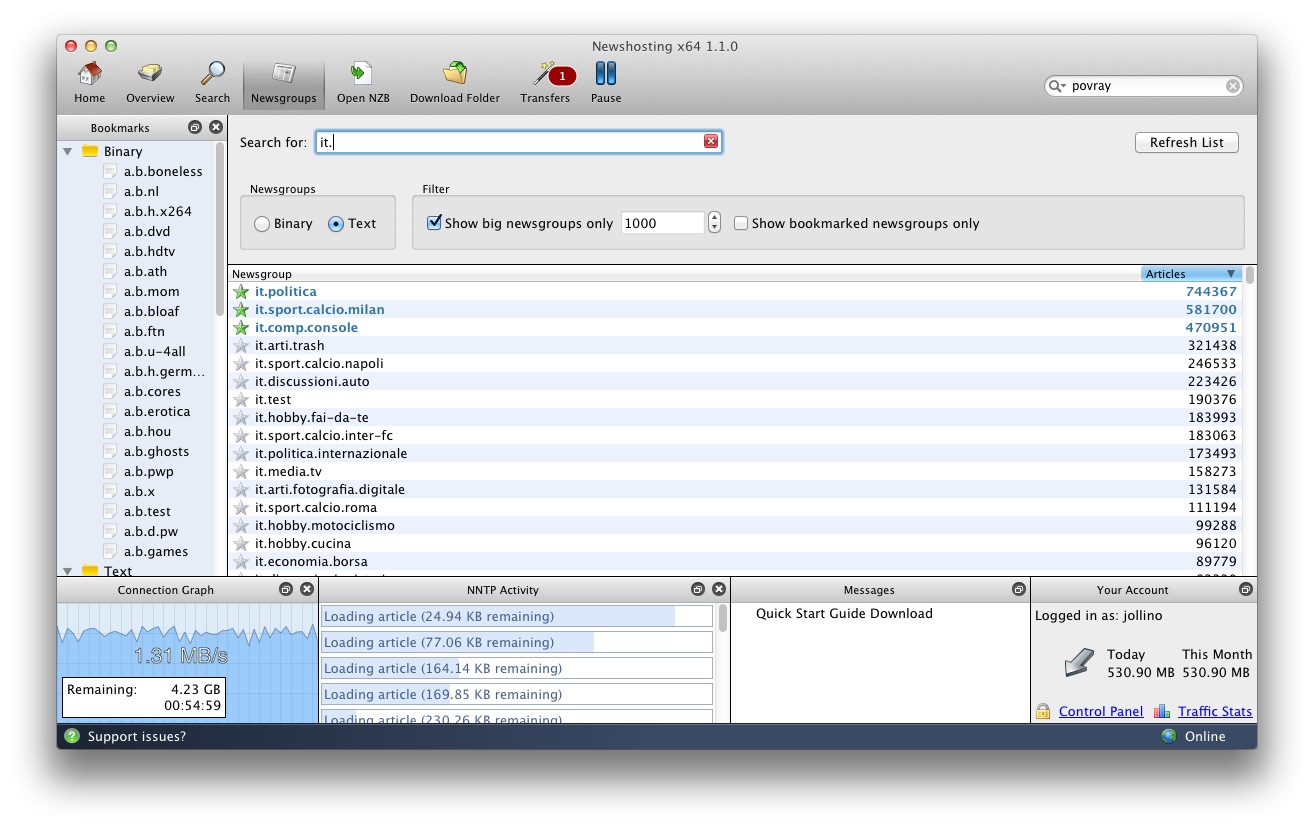
Of course, while the application is specifically built for downloads, I found that it works quite well as a traditional newsreader too. Posting access is disabled by default, but it can be requested via the Control Panel (also directly within the program itself!)
So, how much does it all cost? Less than you think. There are three plains available:
- NewsHosting Lite, $10.00/month, with a 50 GB monthly allowance with rollover, 30 connections
- NewsHosting Unlimited, starting at $12.95/month, unlimited transfer, 30 connections
- NewsHosting XL Powerpack, starting at $15.83/month, unlimited transfer, 60 connections, free account at EasyNews to search and download directly with a browser
Of course, it is possible to use any Usenet newsreader and/or downloader to access NewsHosting‘s servers, though the application I described above frankly makes it hard to justify going through all the loops and hoops of configuration, separate searching and so on.
NewsHosting‘s Usenet client may very well be the “killer app” for anyone interested in the world of Usenet binaries. It’s well worth a shot, and with a two-weeks free trial, why not?
If you sign up for the service, feel free to leave a comment and share your experience!
(Are you interested in protecting your anonymity on the ‘net? Check out my review of IPVanish!)
I agree. I’ve used numerous usenet services over the years, and have been with newshosting for the last 3 or so. I’ve used several different readers as well, settling on Grabit, as it has nzb support as well as a good header viewing system. However, I’ve been looking for something that had x64 support, and up to now, nothing has taken advantage of multiple processors, windows 7, etc. I downloaded and used newshostings new program and am very impressed. It’ll take a bit to get used to the file handling tools, but having something that is more streamlined to my current system/os is a great plus for me.