(For those of you addicted to the podcast, don’t worry! It’s not over yet. I haven’t had a chance to make any more episodes lately but I will resume shortly.)
I often talk to people about Voxer, a free app for smartphones that I find incredibly useful. I am going to describe it in a little more detail, because the official website can be slightly confusing.
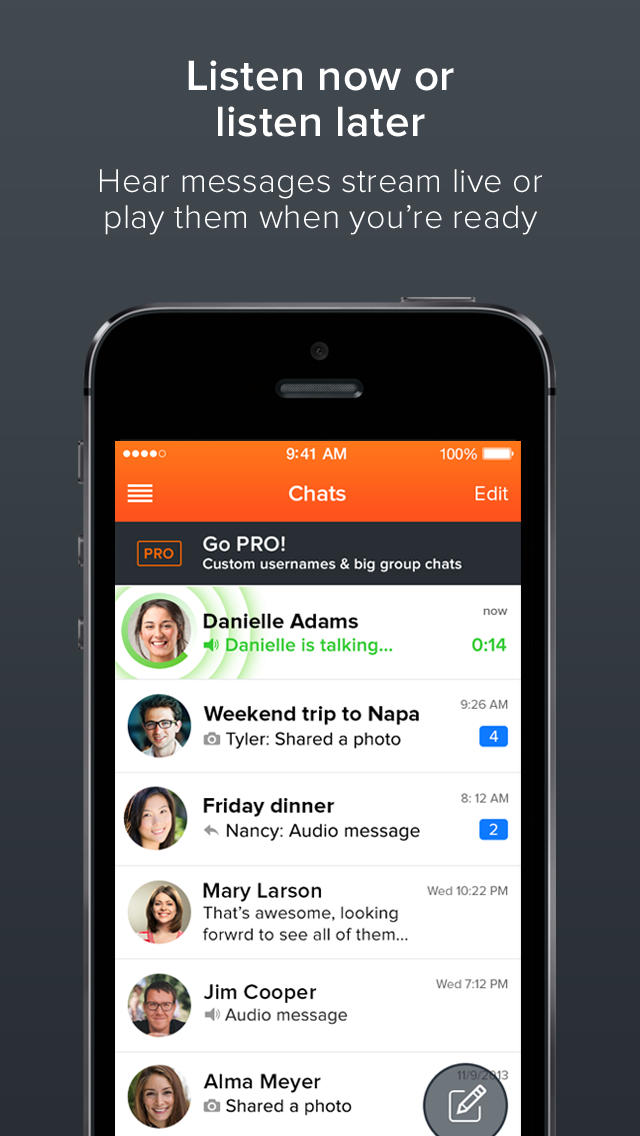
The short version: Voxer is a free walkie-talkie app. But that’s just part of the story. Whereas a traditional walkie-talkie, by definition, requires that all parties involved are ‘tuned in’ at the same time, Voxer doesn’t have that requirement, and mixes live broadcasting with traditional audio messaging.
This sets it apart from any other app that supports voice messages, such as Whatsapp, Facebook Messenger, Telegram and whatnot. With those, a 3-minute message requires a 6-minute turnaround time, minimum: 3 minutes for the sender to record it and 3 minutes for the receiver to listen to it, plus whatever time it takes to transmit it. There’s no way around it, as the message needs to be fully delivered in order to be played, and it needs to be fully recorded in order to be delivered in the first place.
Voxer takes a completely different approach. Person A starts recording a message (with no set duration) and Person B receives a notification immediately. At this point, one of three things can happen:
- Person B already has the Voxer app open when Person A starts talking: the message is played live, with no delay.
- Person B has the Voxer app closed and only opens it only when Person A is done talking: the message is stored and is essentially a voicemail.
- Person B opens the Voxer app for instance 1 minute into the recording: Person B starts playing the message form the beginning while Person A keeps recording; of course, Person B will finish listening to the message 1 minute after Person A is done recording.
There are a few caveats, however. First of all, Voxer is not for phone calls: it’s half-duplex, meaning that you either talk or you listen. This is actually a good thing, because it’s more personal than text messages but way less invasive than calls. Also, while on iPhone the default setting is to use the record button in a “sticky” way (tap once to start recording, tap once to stop), which is arguably more convenient, on Android the default setting appears to be push-to-talk (tap and hold to start recording, release to stop); this can be changed in the settings for each individual chat, rather than for the app as a whole.
The app will automatically find your contacts who also use it when you first install it. On Android it does so by reading your contact list and own phone number automatically, while on iOS it asks for you for your number. If you don’t want to do this, you can just use a fake number, such as 555-111-2222 (note however that if anyone has that number in their list, you will show up as a contact to them.)
Other than by matching contacts, you can find people via their Voxer username. By default this is something really ugly such as “johnsmi1234”, but you can change it (or just find out what yours is) by going to “My profile”. Note that in previous versions of Voxer this required a paid subscription, but can now be done for free.
It also supports group chats up to 15 people and Apple Watch for iOS users, and you can exchange images and text messages within the app as well. As a bonus, if you have a headset with an action button (including Bluetooth ones) you can use that to control the recording.
There is also a Pro version that costs $2.99/mo and gives you additional features, but most people will be perfectly fine with the free version if they use Voxer for personal use.
Voxer is available for free for iOS (App Store), Android (Play Store) and Windows Phone (WP Store). Of course, it requires a data connection — Wi-Fi, 3G or 4G/LTE — in order to work.